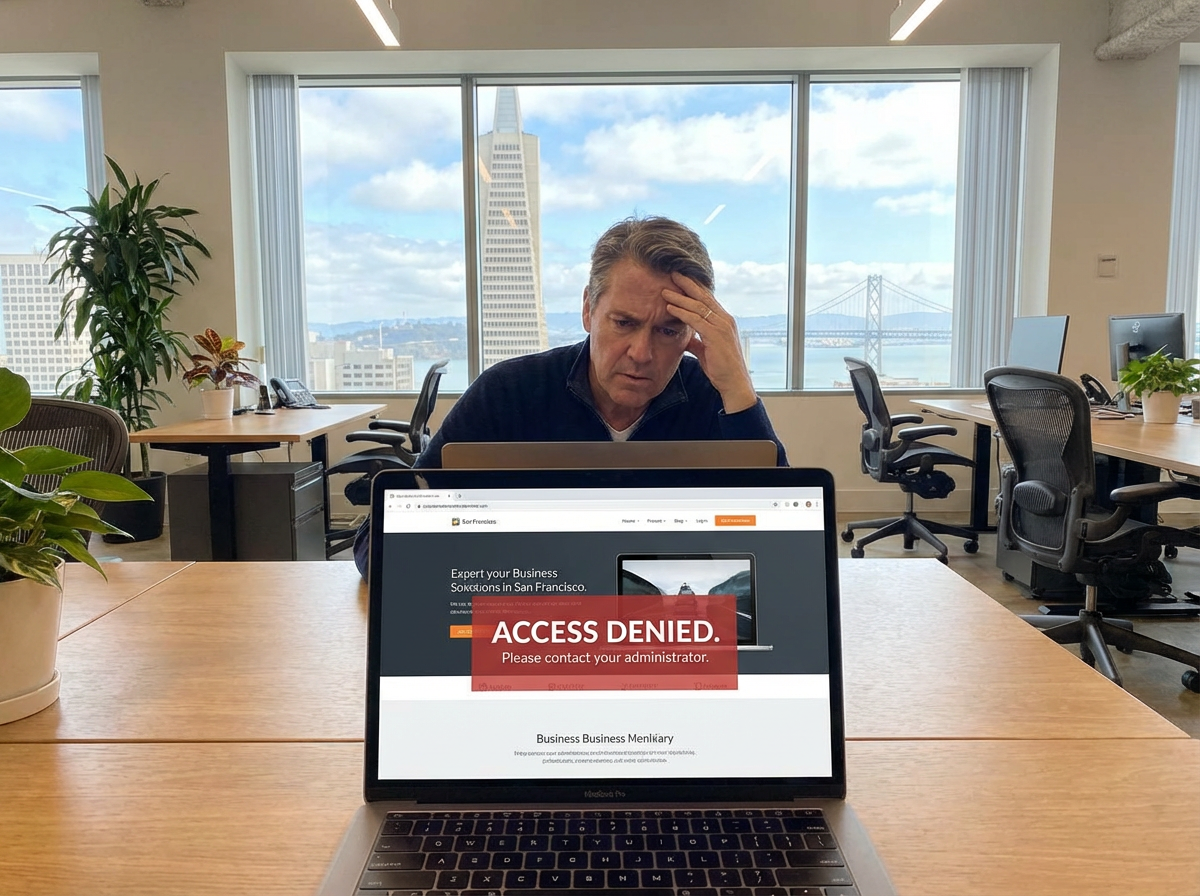
Hidden Dangers of Beautiful Websites: Secure Your Digital Presence
Your website represents one of your most valuable business assets—a digital storefront operating 24/7, establishing credibility, attracting prospects, and driving revenue. Yet thousands of small business owners across San Francisco and beyond discover a terrifying reality: they don't actually control this critical asset. The beautiful website they commissioned, paid for, and built their business around exists beyond their reach, locked behind credentials they never received or managed by designers who've disappeared. This scenario isn't rare—it's alarmingly common, and it represents an existential threat to businesses that have unknowingly surrendered control over their digital presence. Understanding how this happens and implementing protective measures ensures your investment remains truly yours.
The Seductive Trap: How Business Owners Lose Website Control

The path to losing website control typically unfolds innocently, with well-intentioned decisions that create vulnerability.
The Perfect Website Presentation
The Initial Excitement You hire a talented web designer who presents stunning mockups perfectly capturing your brand vision. Their portfolio showcases sophisticated designs, their communication seems professional, and their pricing appears reasonable. You sign a contract, provide deposit payment, and eagerly anticipate your website launch.
The Seamless Handoff... Or Not The designer delivers a beautiful, functional website that exceeds expectations visually. You're thrilled with the aesthetic, the user experience, the modern functionality. In your excitement, you overlook a critical question: "Do I have complete access to manage, modify, and control this website independently?"
The Vanishing Act Weeks or months pass. You need to update product information, correct outdated content, or add new services. You contact your web designer and encounter silence. Emails go unanswered. Phone calls aren't returned. Their social media presence has gone dormant. You've been ghosted—and you suddenly realize you can't access your own website.
Why Designers Retain Control
Ensuring Ongoing Revenue Some designers deliberately withhold full access to create dependency, ensuring clients must return (and pay) for even minor updates. This strategy generates recurring revenue but holds clients hostage to their website's basic maintenance needs.
Technical Complexity Management Other designers genuinely believe clients lack technical sophistication to manage websites safely. Rather than educate clients and provide proper training, they maintain exclusive access "for the client's protection." This paternalistic approach creates vulnerability disguised as helpfulness.
Unintentional Oversight Sometimes designers simply forget to provide comprehensive access. They're accustomed to maintaining control during development and never establish proper handoff procedures. This oversight becomes problematic when designers become unavailable or relationships end.
Platform Lock-In Strategies Certain website builders and platforms create proprietary systems requiring ongoing subscriptions managed exclusively by the original developer. Clients unknowingly sign into ecosystems designed to prevent easy migration or independent management.
The Real Cost of Lost Website Control
Losing website access creates cascading problems beyond mere inconvenience.
Business Continuity Threats
Inability to Update Critical Information When you can't modify website content, outdated information persists indefinitely. Incorrect hours, discontinued products, old pricing, former team members, and expired promotions create confusion and lost revenue. Potential clients contacting closed locations or seeking unavailable services represents direct business impact.
Emergency Response Paralysis Crises require immediate website updates: product recalls, emergency closures, pandemic-related policy changes, leadership transitions. Without access, you can't communicate time-sensitive information to clients when they need it most, damaging trust and potentially creating liability.
Competitive Disadvantage Competitors launching new services, adjusting pricing, or responding to market conditions gain advantages while you remain frozen with static, unchangeable website content. In fast-moving luxury markets like San Francisco, agility provides competitive edge—and inaccessible websites eliminate agility entirely.
Financial Consequences
Ransom Situations Designers holding websites hostage sometimes demand unreasonable fees for access restoration or simple updates. Business owners face agonizing choices: pay inflated prices or lose their digital presence entirely. This ransom dynamic creates significant unexpected expenses.
Forced Rebuilds When regaining access proves impossible, complete website rebuilds become necessary—duplicating original investment without gaining additional functionality. A San Francisco luxury boutique might spend $15,000 rebuilding a website they already paid $12,000 to create simply because they never received proper access.
Lost SEO Investment Established websites accumulate search engine authority, backlinks, and rankings over months and years. Starting fresh with a new website means rebuilding this search visibility from zero, losing months or years of organic traffic growth and the revenue it generated.
Security Vulnerabilities
Unpatched Software Exploits Without access to update website software, security patches can't be applied. Hackers exploit known vulnerabilities in outdated systems, potentially compromising customer data, injecting malware, or defacing your website. The reputational damage and potential liability create serious risks.
Abandoned Monitoring Designers who disappear stop monitoring website security, uptime, and performance. You remain unaware when your website goes offline, gets hacked, or experiences technical failures—until clients notify you or opportunities have already been lost.
Data Breach Liability If your inaccessible website gets compromised and customer data is stolen, you face potential legal liability despite lacking the access needed to implement proper security measures. Ignorance of breach incidents doesn't eliminate responsibility for protecting client information.
8 Essential Steps to Secure Website Control
Protecting your digital asset requires proactive measures before, during, and after website development.
1. Demand Comprehensive Access From Day One

Non-Negotiable Access Requirements Before signing any web development contract, explicitly require full administrative access to all website components. This includes:
Content Management System (CMS) Admin Access: Full administrative credentials with all permissions enabled, not limited "editor" accounts
Web Hosting Control Panel: Complete cPanel or hosting dashboard access including file management, databases, email accounts, and backup systems
Domain Registrar Access: Login credentials for the service managing your domain name registration with ability to modify nameservers and DNS settings
FTP/SFTP Credentials: File transfer protocol access allowing direct file uploads, downloads, and modifications
Database Access: phpMyAdmin or equivalent database management access for advanced troubleshooting and migrations
Email Hosting Access: Control over email accounts, forwarding rules, and configurations associated with your domain
Third-Party Service Accounts: Access to analytics (Google Analytics), search tools (Google Search Console), CDN services, and any integrated platforms
Documentation Requirements Insist that designers provide comprehensive written documentation including all usernames, passwords, account URLs, and step-by-step instructions for common administrative tasks. Store this documentation securely in password management tools like 1Password or LastPass.
2. Contractual Protection Through Legal Agreements
Explicit Ownership Clauses Your web development contract must explicitly state that you own all website components upon final payment: design files, custom code, content, images, databases, and configurations. Avoid contracts claiming designer ownership or licensing arrangements that limit your control.
Access Transfer Requirements Include contract language requiring complete access credential transfer within 24-48 hours of project completion or final payment. Specify exact credentials required (referencing the comprehensive list above) to prevent designers claiming compliance while withholding critical access points.
Termination Provisions Define what happens if the designer relationship ends prematurely. Ensure contracts guarantee access credential transfer regardless of relationship status, with financial penalties for non-compliance. This prevents designers from holding websites hostage during disputes.
Source Code and Asset Delivery Require delivery of all source files, including original design files (Photoshop, Figma, Sketch), custom code, configuration documentation, and any proprietary elements. These files enable future developers to modify and maintain your website effectively.
3. Choose Accessible, Standard Platforms

Popular CMS SelectionSelect widely-used content management systems like WordPress, Shopify, Wix, or Squarespace rather than proprietary custom solutions. Popular platforms offer extensive documentation, large support communities, and abundant qualified developers who can help if your original designer becomes unavailable.
Open-Source Advantages Open-source platforms (WordPress, Joomla, Drupal) provide maximum flexibility and control. Unlike proprietary systems, you're never locked into specific vendors or dependent on original developers for basic maintenance. The massive WordPress ecosystem ensures you'll always find qualified help.
Avoiding Proprietary Lock-In Beware of platforms or custom solutions creating vendor lock-in. Ask explicitly: "If I want to migrate this website to a different developer or platform, is that possible? What limitations exist?" Designers hesitating or providing vague answers raise red flags.
Platform Evaluation Questions Before selecting a platform, research: How many developers are familiar with it? What's the migration process if we need to change? Are there export functions for our content and data? Can we easily switch hosting providers? Platforms with positive answers to all questions provide greater long-term security.
4. Implement Robust Backup Systems
Automated Backup Solutions Install automated backup systems that create complete website copies (files and databases) on regular schedules—daily for actively updated sites, weekly for relatively static ones. Services like UpdraftPlus (WordPress), BackupBuddy, or host-provided backup systems ensure you always have recent copies.
Off-Site Backup Storage Store backup copies in locations completely separate from your website hosting: cloud storage services (Google Drive, Dropbox), external hard drives, or dedicated backup services. This redundancy protects against hosting failures, hacks, or account access loss.
Backup Testing Procedures Regularly test backup restoration to verify backups actually work. Many business owners discover too late that their backup systems failed or created corrupted files. Quarterly test restorations confirm your backups provide genuine protection.
Access-Independent BackupsEnsure backup systems operate independently of designer access. If your designer controls backup configurations exclusively, losing their cooperation means losing backup access too. Maintain direct control over backup tools and storage locations.
5. Establish Direct Hosting Relationships
Your Name, Your Account Open web hosting accounts in your business's name with your email address and payment method, not your designer's. Designers can receive login access to manage hosting, but you should own the account relationship. This prevents designers from holding hosting accounts hostage.
Understanding Hosting Control Levels Different hosting arrangements provide different control levels. Shared hosting offers basic control; VPS (Virtual Private Server) provides more flexibility; dedicated servers offer maximum control. Understand what you're purchasing and ensure direct account ownership regardless of hosting type.
Hosting Migration Capabilities Verify you can migrate your website to different hosting providers without designer involvement. Request confirmation from your hosting company that you have sufficient access to export your website completely and transfer to alternative providers if needed.
Separate Designer and Hosting Relationships Consider purchasing hosting independently from website design services. This separation prevents designers from bundling services in ways that complicate access control. You can grant designers temporary hosting access during development, then revoke it after completion while maintaining your hosting relationship.
6. Document Everything Throughout Development
Comprehensive Credential Log Maintain a detailed, continuously updated document listing every account created during website development: hosting, domain registration, email, CMS, plugins, third-party integrations, analytics, and payment processors. Include usernames, initial passwords, account URLs, and security question answers.
Architecture Documentation Request and retain documentation explaining your website's structure: what plugins/extensions are installed, what they do, how components interact, where custom code exists, and how content is organized. This documentation enables future developers to understand and modify your website efficiently.
Change Log Maintenance Keep records of all website modifications: when changes occurred, what was changed, why changes were made, and who implemented them. This log helps troubleshoot issues and provides continuity when transitioning to new developers.
Regular Access Audits Quarterly, verify you can successfully log into every website-related account using your documented credentials. Update passwords regularly and ensure documentation reflects current information. This proactive approach prevents discovering access loss only when you urgently need it.
7. Invest in Basic Technical Literacy
CMS Fundamentals Training Request training on basic website management tasks within your chosen platform: updating content, adding pages, uploading images, creating blog posts, and managing user accounts. Even limited technical skills dramatically reduce designer dependency for routine updates.
Video Tutorial Resources Modern platforms offer extensive free video tutorial libraries. WordPress, Shopify, Wix, and Squarespace all provide comprehensive learning resources. Dedicate a few hours to basic tutorials—this small investment yields significant long-term independence.
Maintenance Task Delegation Train a team member on routine website maintenance, creating internal capability beyond single-person dependency. If your designated website person leaves, someone else understands basic operations and can handle essential updates during transitions.
Understanding vs. Expertise You don't need to become a web developer to benefit from basic understanding. Learning enough to update content, recognize potential issues, and communicate effectively with technical professionals provides valuable protection against complete helplessness.
8. Establish Emergency Access Protocols

Password Manager Implementation Use password management tools (1Password, LastPass, Dashlane) to store all website-related credentials securely. These tools enable secure sharing with team members, provide emergency access protocols, and ensure credentials aren't lost if individual employees leave.
Succession Planning Designate multiple people within your organization with emergency website access. If your primary website manager becomes unavailable, others can step in without crisis-level urgency. Document where credentials are stored and how to access them during emergencies.
Developer Relationship Diversification Maintain relationships with at least two qualified web developers or agencies. If your primary developer becomes unavailable, you have immediate alternatives without starting relationship-building from scratch during crises.
Regular Professional Audits Annually, have independent web professionals review your website security, access controls, and documentation. This third-party assessment identifies vulnerabilities before they create problems and ensures your protection strategies remain current with evolving best practices.
Red Flags: Warning Signs of Problematic Designer Relationships
Recognize these warning signs indicating potential access control issues:
Communication and Transparency Issues
Vague Responses About Access: Designer avoids specific answers about what access you'll receive or deflects with technical jargon
Resistance to Questions: Designer becomes defensive or dismissive when you ask about credentials, ownership, or independence
Hosting Control Insistence: Designer insists hosting must be through their account for "technical reasons" without compelling justification
Platform Obscurity: Designer recommends unfamiliar platforms without clear advantages over popular, established alternatives
Contractual Concerns
Ownership Ambiguity: Contract doesn't explicitly state you own all website elements upon payment completion
Access Language Absence: Contract lacks specific mention of credential transfer requirements or timelines
Ongoing Dependency Structures: Contract includes mandatory ongoing maintenance fees without option to self-manage or change providers
Proprietary System Lock-In: Designer builds on proprietary platforms or custom frameworks preventing easy migration
Business Practice Red Flags
Single Point of Contact: Designer operates as sole individual without business infrastructure or continuity planning
Payment Structure Concerns: Designer requires ongoing monthly payments with unclear termination policies
Credential Withholding Justification: Designer claims clients "don't need" or "shouldn't have" certain access for their own protection
Resistance to Independent Hosting: Designer refuses to work with your independently-owned hosting account
What to Do If You've Already Lost Access
If you're currently locked out of your website, take these recovery steps:
Immediate Actions
Exhaust Communication Attempts Send formal written communication (email and certified mail) explicitly requesting immediate credential transfer. Reference contract terms requiring access provision. Document all communication attempts for potential legal action.
Leverage Payment Processing If you paid via credit card or PayPal and the designer fails to provide contracted access, dispute charges as services not fully delivered. Payment processors often side with customers in clear breach-of-contract situations.
Domain Control Priority If you control your domain registration, you maintain critical leverage. Domains represent your brand identity and can be pointed to new websites. If your designer controls your domain, recovering it becomes top priority—contact the registrar directly to prove ownership.
Consult Legal Professionals Small business attorneys can send formal demand letters often producing faster cooperation than individual requests. Legal pressure may be necessary for unresponsive or deliberately obstructive designers.
Recovery and Rebuilding
Website Recreation Assessment Determine if rebuilding proves more practical than recovering access. If your website is relatively simple and your designer is truly unreachable, starting fresh may cost less than extended recovery efforts.
Content Recovery Strategies Use web scraping tools or services to extract content, images, and structure from your inaccessible website. While losing backend configurations, you can preserve your content investment for migration to a new platform.
SEO Preservation Techniques When rebuilding, maintain URL structures (page paths) from your original website using 301 redirects. This preserves search engine rankings and backlink value even when migrating to entirely new hosting and platforms.
Security Breach Assumption Treat inaccessible websites as potentially compromised. Once access is regained, immediately change all passwords, audit all content for malicious code, update all software, and implement comprehensive security hardening.
The Lens on Luxury Approach: Empowerment Through Accessibility
At Lens on Luxury, we recognize that true partnership requires empowering clients with full control over their digital assets.
Transparent Access Philosophy
Complete Credential Transfer We provide comprehensive access documentation for every website component immediately upon project completion: CMS admin accounts, hosting dashboards, FTP credentials, domain registrar access, email configurations, and third-party service accounts. No information is withheld.
Training and Education Every website delivery includes personalized training tailored to your technical comfort level. We teach you to manage routine updates independently while remaining available for complex technical needs. Our goal: your confident independence, not your ongoing dependency.
User-Friendly Platform Selection We build on WordPress and other widely-supported platforms specifically chosen for long-term accessibility. Should you ever decide to work with different developers, you'll find abundant qualified professionals familiar with your website's foundation.
Relationship Continuity Planning We maintain detailed internal documentation of every website we build, ensuring that if your primary contact becomes unavailable, other team members can immediately support you without continuity disruption.
Ongoing Support Without Dependency
Optional Maintenance Packages We offer maintenance packages for clients who prefer professional management but never require them as conditions of website ownership. You maintain complete access and can self-manage or engage alternative providers at any time without penalty.
Emergency Support Availability When clients encounter urgent technical issues beyond their expertise, we provide rapid response support—not as gatekeepers controlling access, but as knowledgeable partners helping you leverage the website you fully control.
Technology Evolution Guidance As platforms, security requirements, and best practices evolve, we proactively advise clients on necessary updates and improvements—again as partners helping you protect and enhance your investment, not as gatekeepers controlling access to it.
Protecting Your Digital Future
Your website isn't just a marketing tool—it's a business asset representing significant financial investment, accumulated SEO value, brand identity, and customer relationship infrastructure. Losing control over this asset creates vulnerability that can threaten your entire business.
Protection requires vigilance from the first conversation with web designers through ongoing website management. Demand comprehensive access explicitly. Choose accessible platforms. Document everything meticulously. Invest in basic technical understanding. Establish redundant backup systems. These steps aren't paranoid overreaction—they're prudent asset protection practices as essential as insuring physical property or securing financial accounts.
The most beautiful website becomes a gilded cage when you can't control it. True beauty combines aesthetic excellence with functional accessibility—websites that not only look stunning but also empower you to manage, modify, and maintain them independently. When evaluating web designers and making platform decisions, prioritize control as much as aesthetics. Your business's digital future depends on it.
Ready to secure complete control over your digital presence?Tracey Bauer and the Lens on Luxury team specialize in building beautiful, powerful websites that you fully own and control from day one.Visit LensOnLuxury.com to discover how empowering web design delivers both sophistication and independence.
About the Author
Tracey Bauer is the founder of Lens on Luxury, specializing in AI-powered digital marketing for luxury small businesses. With 32 years of optical industry experience and extensive training in marketing automation, Tracey helps San Francisco Bay Area businesses implement sophisticated social media strategies that drive measurable results. Her approach combines deep luxury market understanding with cutting-edge technology to create marketing systems that feel personal, premium, and effortlessly effective.
Frequently Asked Questions
How can I tell if I have full website access?You have full access if you can log into: your CMS admin dashboard with all permissions, your web hosting control panel, your domain registrar account, FTP/file management systems, and your website database. Test each login quarterly to ensure credentials remain valid and your access level hasn't been downgraded without notification.
What should I do if my web designer refuses to provide access?Send formal written demand citing contract terms requiring access provision. If they remain unresponsive, dispute charges through payment processors if possible, contact your domain registrar to reclaim domain control, consult an attorney about sending formal demand letters, and prepare to rebuild your website with a new developer who respects ownership rights.
Is it normal for web designers to maintain hosting accounts?While designers can manage hosting during development, you should own the account in your name. Some designers offer hosting as ongoing services, which is acceptable only if you have full account access and can terminate the service while retaining your website. Never accept arrangements where designers own your hosting account exclusively.
How much technical knowledge do I need to manage my website?Basic content management requires minimal technical knowledge—most modern platforms offer intuitive interfaces for updating text, adding images, and creating pages. Dedicate 2-3 hours to platform-specific tutorials, and you'll handle 80% of routine updates independently. Complex technical changes still benefit from professional assistance, but you should never be unable to update basic content.
What's the most important access to secure first?Domain registrar access is most critical. Your domain name represents your brand identity. With domain control, you can point it to new websites if necessary. Without domain control, recovering your brand identity becomes extremely difficult. Ensure you directly own your domain registration or have full account access immediately.
Can I transfer my website to a different hosting provider?Yes, if you have proper access. You'll need FTP credentials to download website files, database access to export your database, and possibly DNS information to configure your domain. Most quality hosting providers offer free migration assistance. If you lack necessary access, migration becomes difficult or impossible without original designer cooperation.
How often should I update my website passwords?Change all website-related passwords quarterly at minimum, immediately when team members with access leave your organization, and urgently if you suspect any security compromise. Use unique, strong passwords for each service, stored securely in password management tools rather than spreadsheets or written notes.
What happens to my website if my designer's business closes?If you have full access (hosting, domain, CMS, backups), your website continues operating normally and you can engage new developers for ongoing support. If your designer controls access exclusively, you may lose your website entirely. This risk underscores the critical importance of maintaining independent access from day one.